最近看到youtube上面有人教把python開發的程式用Electron打包成桌面的app,就想說不知道R可不可以一樣做,結果就查到這個影片[Shiny meets Electron: Turn your Shiny app into a standalone desktop app in no time],是把R開發的Shiny app打包成獨立的桌面程式,該講者說這樣做的好處是可以省去找IT的人來搞環境,因為如果是大公司,這個可能跑一堆程序,花很多時間跟錢。
- 10月 20 週六 201806:21
使用Electron把R的Shiny app打包成桌面應用程式
- 9月 06 週四 201818:00
在R裡面用rayshader套件繪製3D彩繪陰影圖

最近看到一個R的套件是可以繪製彩繪陰影圖的,它就叫做rayshader。
- 1月 15 週一 201819:03
如何使用R來讀取KML格式檔案-以水利署水庫堰壩位置圖為例
以下為R的程式碼範例讀取KML檔,最後用leaflet來繪製互動地圖。
成果長這個樣子。
成果長這個樣子。
- 3月 24 週五 201717:40
[R][Package] rnaturalearth、rnaturalearthdata、rnaturalearthhires 套件簡介
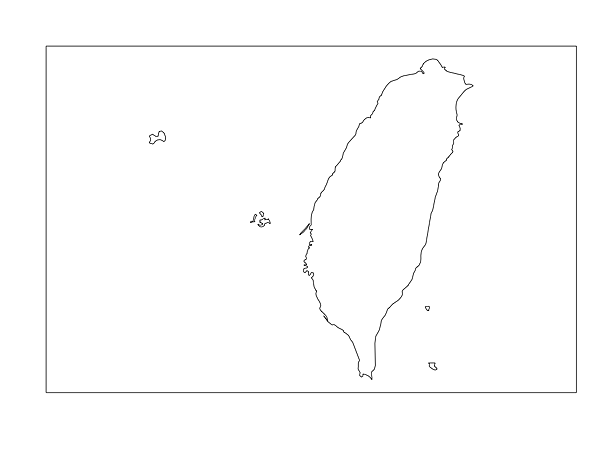
又看到有新的關於地圖的R套件推出了,這次要介紹的是名叫rnaturalearth的套件,這個套件主要就是把Natural Earth網站上的資料給弄到R裡面來用。
套件原始碼放在Github上面,rnaturalearthdata放的是向量資料,rnaturalearthhires放的是高解析度的資料,如果你要畫高解析度的海岸線或者國家邊界,那就會自動幫你裝這個。
- 9月 27 週二 201610:30
解決R在macOS sierra中安裝套件遇到gfortran-4.8: warning: couldn’t understand kern.osversion ’16.0.0'的問題
當我在macOS sierra中要安裝R package時(source package),安裝失敗,錯誤訊息顯示如下:
gfortran-4.8: warning: couldn’t understand kern.osversion ’16.0.0
gfortran-4.8: warning: couldn’t understand kern.osversion ’16.0.0
- 4月 16 週四 201510:25
在R裡面使用Google Api取得縮短網址
參考資料:http://stackoverflow.com/questions/24097998/google-api-url-shortener-with-r
參考資料中並沒有使用google api key,但是Google似乎會限制使用次數,所以比較好的作法是先去申請Google Api key!
#使用httr這個package
library(httr)
apikey <- "你的google api key"
oriurl <- "http://www.pixnet.net" #這邊放你想要縮短的原始網址
urldata <- POST(paste("https://www.googleapis.com/urlshortener/v1/url?key=", apikey, sep=""),
add_headers("Content-Type"="application/json"),
body=toJSON(list(longUrl = oriurl)))
shorturl <- content(urldata)
print(shorturl[["id"]])
參考資料中並沒有使用google api key,但是Google似乎會限制使用次數,所以比較好的作法是先去申請Google Api key!
#使用httr這個package
library(httr)
apikey <- "你的google api key"
oriurl <- "http://www.pixnet.net" #這邊放你想要縮短的原始網址
urldata <- POST(paste("https://www.googleapis.com/urlshortener/v1/url?key=", apikey, sep=""),
add_headers("Content-Type"="application/json"),
body=toJSON(list(longUrl = oriurl)))
shorturl <- content(urldata)
print(shorturl[["id"]])
- 3月 29 週日 201522:53
如何在windows 7中讓rmarkdown可以順利產生出正體中文的pdf
步驟 (圖待補)
1. 安裝R
1. 安裝R
- 6月 07 週四 201223:54
RStudio推出線上發表系統RPubs
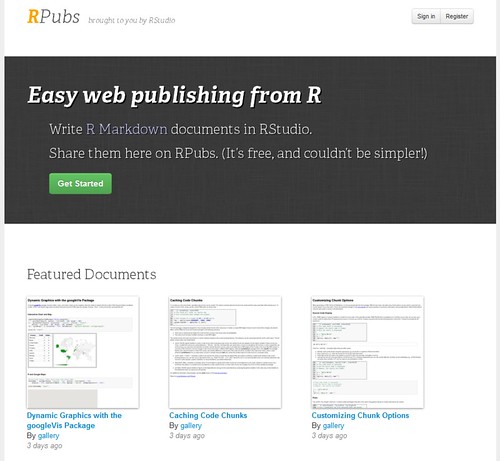
RStudio最近更新到了0.96.230,也推出了一個新的服務叫做RPubs,這是一個網路服務,可以讓你在RStudio中編寫一種叫做R Markdown的文件,只要按照該特定語法去編寫,就可以透過RStudio直接發佈道RPubs的網站中,把文字說明、程式碼及圖形等等東西直接發表在網路上!這東西真是太神了!! 詳情請看RStudio的blog最新文章:Announcing RPubs: A New Web Publishing Service for R 到RPubs的網站可以看到幾個範例。
- 6月 07 週四 201223:37
R統計軟體與RStudio IDE環境的安裝
簡報檔分享!
- 1月 07 週六 201214:59
[教學]安裝R統計軟體的工作環境
2012.01.05 update
1. 安裝R-2.14.1.exe
http://cran.csie.ntu.edu.tw/bin/windows/base/R-2.14.1-win.exe
2. 安裝Rtools214.exe (要check 修改path的部分)
http://www.murdoch-sutherland.com/Rtools/
1. 安裝R-2.14.1.exe
http://cran.csie.ntu.edu.tw/bin/windows/base/R-2.14.1-win.exe
2. 安裝Rtools214.exe (要check 修改path的部分)
http://www.murdoch-sutherland.com/Rtools/

 學術知識 (3)